
Track every item across stores in real time. Get low-stock alerts, manage indents and purchase orders, reconcile sales with inventory and keep stock value accurate to the rupee.
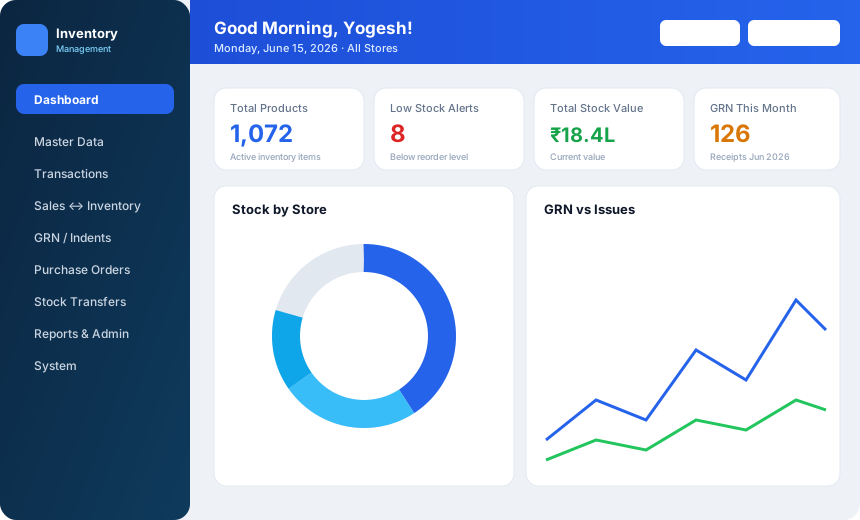
A club holds stock in many places at once: a main store, the kitchen, the bar and other outlets. Every purchase, issue and transfer has to be traced, or the stock value in the books drifts away from what is on the shelf. iTech Gravity's Inventory Management module gives the store keeper and the accounts team one shared record.
Purchase orders go to vendors, goods are received against GRNs, and indents move stock to the outlets. When the same club runs the Tab Billing & POS module, sales flow back into inventory automatically, so stock figures reflect what was sold. Everything rolls up into the wider club management platform.
Built for the store keeper, purchase team and accounts.
Track every item across your main store and outlets in real time, instead of counting shelves to find out what is left.
Receive goods against GRNs, raise indents from outlets and transfer stock between stores with a clear trail.
Get alerts before an item runs out, so purchasing acts before the bar or kitchen is caught short.
Manage vendors and raise purchase orders from the same system that records what arrives.
Reconcile sales with inventory so the stock on hand matches what the outlets have sold.
Review stock valuation and item movement to keep the stock value accurate and spot slow or missing items.
How stock moves through the club.
Order from a vendor with a purchase order that the team can track.
Record goods received against the order.
Outlets raise indents and stock moves between stores.
Sales from the POS reduce stock, keeping inventory in sync.
Review valuation and movement reports and act on low-stock alerts.
Each module works on its own and works even better together.
Membership, billing, dues, banquets, events and analytics on one platform.
Learn moreTable tabs, KOTs, split bills, GST and charges posted to member accounts.
Learn moreAttendance, salary structures, PF / ESI / PT and one-click payroll.
Learn moreReservations, check-in / check-out, folios and occupancy reports.
Learn moreYes. Multi-store stock tracking is included, along with indents and transfers between stores.
Yes. Low-stock and reorder alerts are part of the Inventory module.
Yes. The module supports purchase orders and vendor management alongside GRNs.
When you use the Tab Billing & POS module with Inventory, sales and inventory stay in sync.
Stock valuation and movement reports are included, so you can see what stock is worth and how items have moved.
Tell us about your club and we'll walk you through the software.
Prefer to talk? Call +91 99002 22859 or email support@itechgravity.com.