
A touch-friendly point-of-sale that opens tabs by table, fires KOTs to the kitchen, splits or merges bills, applies GST and service charge, and posts charges straight to member accounts.
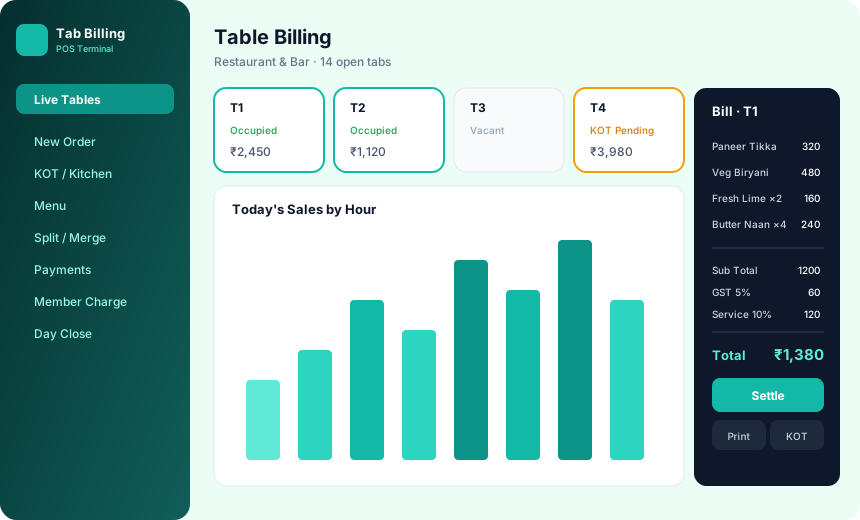
Club outlets have needs that a generic restaurant POS handles awkwardly. Charges usually go to a member account instead of being paid at the table, tabs stay open across the evening, and the accounts team needs every outlet reconciled at day-close. iTech Gravity's Tab Billing & POS is built around those workflows.
Because it is part of the same platform as the Club Management System, a bill posted at the bar reaches the member's account straight away. With the Inventory module, the items sold also reduce stock in the right store, so sales and inventory stay in step.
Everything the outlet manager, captain and cashier need on the floor.
Open and manage tabs by table, so staff can keep adding items through the evening and close the bill when the member is ready.
Fire kitchen order tickets to the kitchen printer the moment an order is taken, cutting down on shouting and lost slips.
Split a bill between guests or merge several tabs into one, without re-entering items.
Apply GST and service charge on bills so the figures on the receipt match what accounts reports later.
Post charges straight to the member's account instead of collecting payment at the table.
Close the day outlet by outlet and review sales reports without rebuilding the numbers in a spreadsheet.
From the first order to day-close, in five steps.
The captain opens a tab against a table and starts adding items.
Orders are fired to the kitchen printer as they are taken.
Split or merge bills and apply GST and service charge.
Post the charge to the member account, or settle the bill.
Run day-close and review sales reports for each outlet.
Each module works on its own and works even better together.
Membership, billing, dues, banquets, events and analytics on one platform.
Learn moreMulti-store stock, GRNs, indents, purchase orders and low-stock alerts.
Learn moreAttendance, salary structures, PF / ESI / PT and one-click payroll.
Learn moreReservations, check-in / check-out, folios and occupancy reports.
Learn moreYes. KOT to kitchen printing is part of the Tab Billing & POS module.
Yes. Charges can be posted straight to the member's account, which is useful for clubs where members do not pay at the table.
Yes. GST and service charge can be applied on bills, and the Club Management System includes GST reports.
Yes. Bills can be split between guests or merged from several tabs.
When you also use the Inventory module, sales and inventory stay in sync, so stock reflects what has been sold.
Each module works on its own, so you can start with billing and connect it to the other modules later.
Tell us about your club and we'll walk you through the software.
Prefer to talk? Call +91 99002 22859 or email support@itechgravity.com.